A complete WordPress stack map showing how the agency theme, booking plugin, WooCommerce, upsells, setup services, SEO, and paused ads planning fit together.
This article is not a single-product note. It explains how the WordPress items in Ovion Market can work together as one launch system: the WordPress Agency Theme, the WordPress Booking Plugin, the WooCommerce Upsell Kit, WordPress setup, WooCommerce checkout help, SEO launch readiness, and paused ads launch planning.
The important point is integration. A theme gives structure and visual trust. A booking plugin captures appointments or service demand. WooCommerce handles products, cart, checkout, coupons, orders, and customer emails. Upsells add relevant offers around checkout. Setup and support services reduce launch risk. SEO and paid traffic planning decide which pages deserve visibility. When these parts are planned separately, the site feels patched together. When they are planned as a stack, buyers see a clear path from content to action.
WordPress Stack Flow
The flow starts with the public promise. A visitor lands on a service page, case-study page, booking page, product page, or campaign landing page. The WordPress theme controls the page hierarchy, navigation, typography, reusable sections, and mobile behavior. The booking plugin controls availability, staff or service rules, confirmations, and reminder touchpoints. WooCommerce controls product selection, checkout state, payment handoff, coupons, order emails, refunds, and account expectations.
That means the first integration question is not "which plugin is best?" The better question is: what does the visitor need to do, what data must be collected, what payment or confirmation happens, and which page owns the next step? If the answer is not written down, even good plugins can overlap. A form plugin may collect the same detail as a booking plugin. A checkout upsell may interrupt a booking flow. A service page may promise a package that the cart does not sell. The stack should remove those conflicts.
What Each Item Gives
| Stack item | What it gives | Where it integrates | Main risk to check |
|---|---|---|---|
| WordPress Agency Theme | Home, service, portfolio, landing, and contact page structure | Booking pages, product pages, SEO content, navigation | Demo import and mobile layout must match the real content plan |
| WordPress Booking Plugin | Service availability, appointment capture, confirmation paths | Service pages, staff calendars, reminders, optional payment handoff | Timezone, cancellation, email, and staff rules must be tested |
| WooCommerce | Products, cart, checkout, coupons, orders, emails, refunds | Product pages, upsell offers, payment providers, customer accounts | Checkout blocks, coupons, taxes, and payment methods need full QA |
| WooCommerce Upsell Kit | Relevant order bumps and post-cart offer logic | Product catalog, checkout layout, coupons, analytics events | Offers must be useful, not confusing or policy-risky |
| SEO and paused ads services | Canonical URLs, metadata, UTM plan, paused campaign drafts | Landing pages, product pages, blog guides, Search and Meta campaigns | Claims must stay factual and tracking must be reviewed before activation |
The table is the core planning view. Use it before installing anything. If a row has no owner, the site will likely launch with a gap. For example, the theme may include a beautiful service template, but the booking plugin still needs service duration, timezone rules, notification copy, cancellation policy, and calendar labels. WooCommerce may process orders, but the product page still needs policy copy, support expectations, refund notes, and a post-purchase path.
Integration Blueprint
Start by mapping the primary buyer paths. A service business usually needs a "learn, compare, book, confirm" path. A digital product store needs a "discover, inspect, add to cart, checkout, download or support" path. An agency site needs a "trust, proof, contact, proposal" path. A hybrid WordPress/WooCommerce site may need all three, which is why the stack must be designed in layers.
Layer one is content architecture. Build the home page, service pages, product pages, help pages, and contact paths in the WordPress theme. Use the WordPress Theme Handbook as the reference for theme concepts, templates, and structure. Layer two is action handling. Booking actions should go through the booking plugin, commerce actions should go through WooCommerce, and lead forms should go to the contact or intake route. Layer three is money and confirmation. WooCommerce checkout, payment provider settings, order emails, refunds, and coupons must be tested together, not as isolated screens.
Layer four is growth. SEO pages need canonical URLs, image alt text, internal links, and useful headings. Paid ads need landing URLs, UTM values, conservative claims, and paused external campaign objects before activation. The WooCommerce Cart and Checkout Blocks documentation is useful when a store depends on modern checkout blocks or extensions. The WordPress Plugin Handbook is useful when plugin behavior needs hooks, settings, or compatibility review.
Handoff Table For The Stack
| Handoff point | Owner | Evidence before launch |
|---|---|---|
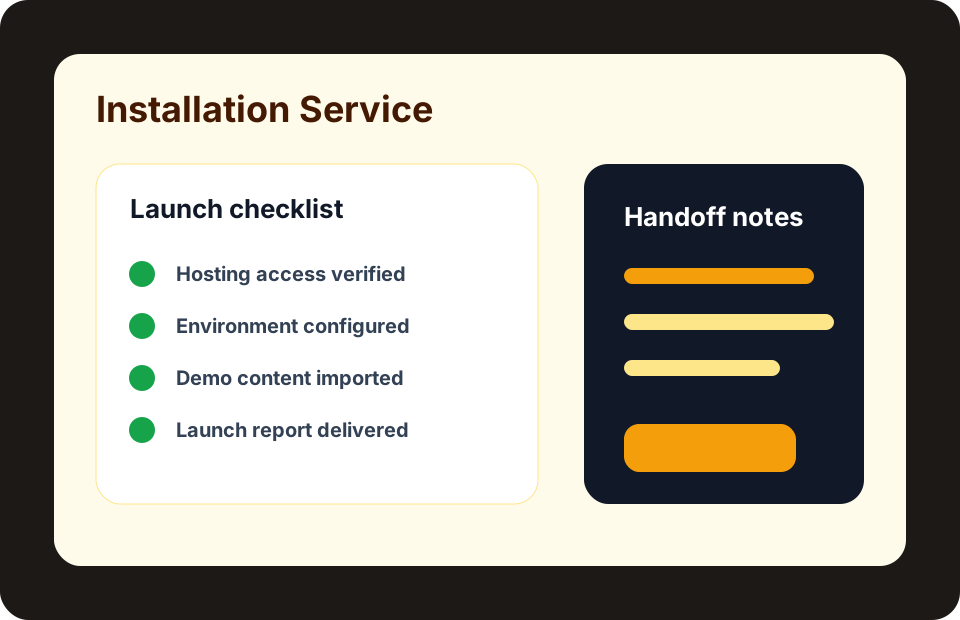
| Content architecture | Site owner and designer | Approved page list, menu map, CTA labels, and service/package copy |
| Booking rules | Operations owner | Test appointment, confirmation email, timezone behavior, and cancellation rule |
| Checkout path | Store owner and developer | Guest order, logged-in order, coupon order, failed payment, refund, and email screenshots |
| SEO launch | Marketing owner | Metadata, canonical URL, image alt text, internal links, sitemap inclusion, and FAQ copy |
| Paid campaign draft | Ads owner | Landing URL, UTM fields, budget cap, creative text, provider account, and paused status |
This handoff table turns the stack into work. It separates what the theme owns, what the booking plugin owns, what WooCommerce owns, what services own, and what marketing owns. Without this separation, teams often blame the wrong tool. A checkout issue may be a payment setting. A booking issue may be a timezone rule. A conversion issue may be weak copy, slow images, or unclear internal links.
Practical QA Checklist
- Open the home page, service page, booking page, product page, cart, and checkout on desktop and mobile.
- Place one test booking and one test WooCommerce order, then inspect customer and admin emails.
- Run a coupon and upsell combination so the order total, offer copy, and email receipt still make sense.
- Check internal links between platform pages, service pages, product pages, blog guides, and support.
- Confirm SEO and ads copy does not promise rankings, approvals, revenue, or unsupported features.
Run the checklist on staging first. Use a normal buyer account, a test admin account, and at least one mobile device. Capture screenshots for failures. Check the entire chain: landing page, booking form, cart, checkout, payment status, confirmation email, order screen, support link, and analytics tags. A WordPress stack is not ready because the homepage looks finished. It is ready when each action creates the expected result.
Internal Links To Use While Building
- WordPress platform page - compare WordPress products, services, and guides together
- WooCommerce platform page - review checkout, upsell, and commerce-specific guides
- WordPress setup service - turn the stack map into setup work
- Paused ads launch planning - prepare campaigns without activating spend
These internal links keep planning inside the actual Ovion Market structure. Use the product links for fit checks, the service links for implementation help, and the blog links for SEO or paid launch planning. This matters because "WordPress setup" is not one generic task. A content-only site, booking site, WooCommerce store, and paid traffic landing page need different acceptance checks.
What You Get From The Combined Stack
When the stack is integrated well, the buyer gets a complete site system instead of a collection of disconnected tools. The theme gives a professional front end. The booking plugin gives appointment logic. WooCommerce gives cart, checkout, products, coupons, and orders. The upsell kit gives relevant offer placement. The setup and checkout services give implementation support. SEO and paused ads planning give a safer launch path.
The result is not a promise of automatic revenue. It is a clearer operating model. A visitor can understand the offer, take the right action, receive the right confirmation, and reach support if something goes wrong. The site owner can update content, inspect orders or bookings, test checkout changes, and promote the right landing page. That is the value of combining the WordPress items deliberately.
FAQ
Is WordPress Agency Theme, WordPress Booking Plugin, and WooCommerce Upsell Kit enough for a complete launch?
It can be enough when the catalog requirements, hosting stack, content, checkout or form flow, and support expectations match your project. Use the checklist in this guide before assuming the product alone covers every launch task.
When should this move from product purchase to service scope?
Use a service scope when setup access, custom changes, checkout QA, SEO readiness, or paused ads planning needs an accountable handoff rather than a simple product download.
Does this guide make performance or revenue promises?
No. It uses WordPress, WooCommerce, booking, SEO, and paid launch planning product metadata and official source notes to keep the advice factual. SEO and ads guidance is framed as readiness work, not a guarantee of rankings, approvals, or revenue.