A booking SaaS buyer guide for reviewing BookFlow public booking, tenant admin, guided receptionist, deposits, packages, reports, integrations, and launch readiness.
A Real Moment
A service business wants online booking, but the real decision is not the calendar screen alone. They need to know whether services, staff, availability, deposits, customer records, reminders, reports, and AI-assisted reception work together without a private developer explanation.
The useful question is simple: Can the buyer prove one complete booking workflow from public service selection to booking, payment or deposit, staff follow-up, customer portal, report, and readiness note?
That is why this note starts with the work, not with software vocabulary. For service businesses, agencies, and operators reviewing a booking SaaS before public scheduling, deposits, staff calendars, and customer portals go live, a booking SaaS launch workflow only matters when it helps a person finish a job with less guessing. In plain terms: public booking, tenant admin, guided receptionist, deposits, payments, packages, retention CRM, reports, and integrations should feel like one connected booking operation.
The Human Problem
Booking software gets risky when public scheduling, staff operations, payments, and customer follow-up are evaluated as separate screens. A buyer needs a clean way to see the whole appointment lifecycle before moving real customers into the system.
Most bad launches do not fail because nobody knew the fancy words. They fail because nobody wrote down what was supposed to happen for the buyer, manager, agent, or admin. Then every small mistake becomes a meeting: who owns this, where is the proof, why did the email not arrive, why is the account different from the order?
For Ovion Market, the rule is practical. A product, demo, guide, or service should be easy to explain to a non-technical owner, easy to test with a normal account, and easy to support after the first launch.
Walk It Like A Buyer
Start on the public booking site, choose a service, inspect availability, review the booking handoff, open tenant admin, check bookings, staff, services, payments, reports, integrations, and finish with the launch readiness path.
BookFlow
BookFlow is a good fit when the required workflow, platform, and support expectations match your launch plan.
- Product metadata includes platform, version, support, and compatibility context.
- Demo and docs links are shown when available.
- Screenshots and changelog help validate buyer expectations.
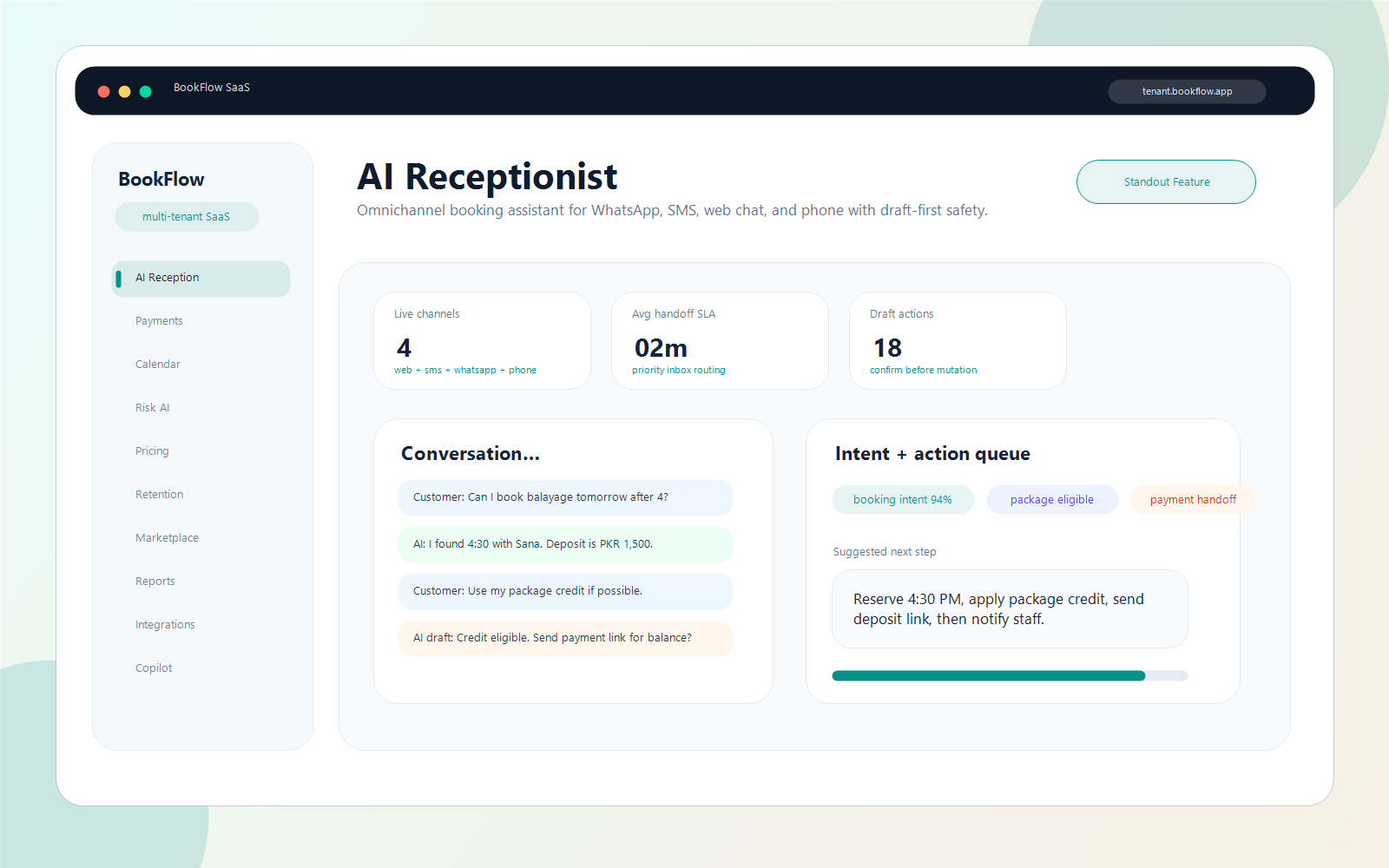
AI receptionist
Omnichannel booking assistant with draft-first booking, payment, package, and handoff actions.
- AI receptionistOmnichannel booking assistant with draft-first booking, payment, package, and handoff actions.
BookFlow buyer checks
- Confirm Laravel hostingPHP 8.2+, database, writable storage/bootstrap cache, queue/scheduler, and mail should be available.
- Choose archive layoutUse root archive when hosting root points to the project, or public_html/booking archive for a subfolder app.
- Review docs and screenshotsOpen the BookFlow docs portal and the 10 marketplace proof screens before choosing a license tier.
- Plan live integrationsAI, Stripe, SMS, WhatsApp, Google Calendar, CRM, HR, TicketPro, and ecommerce connectors need buyer credentials for production use.
- Hosting cannot meet the requirementsPause if your PHP, database, queue, mail, storage, or extension setup cannot match the documented requirements.
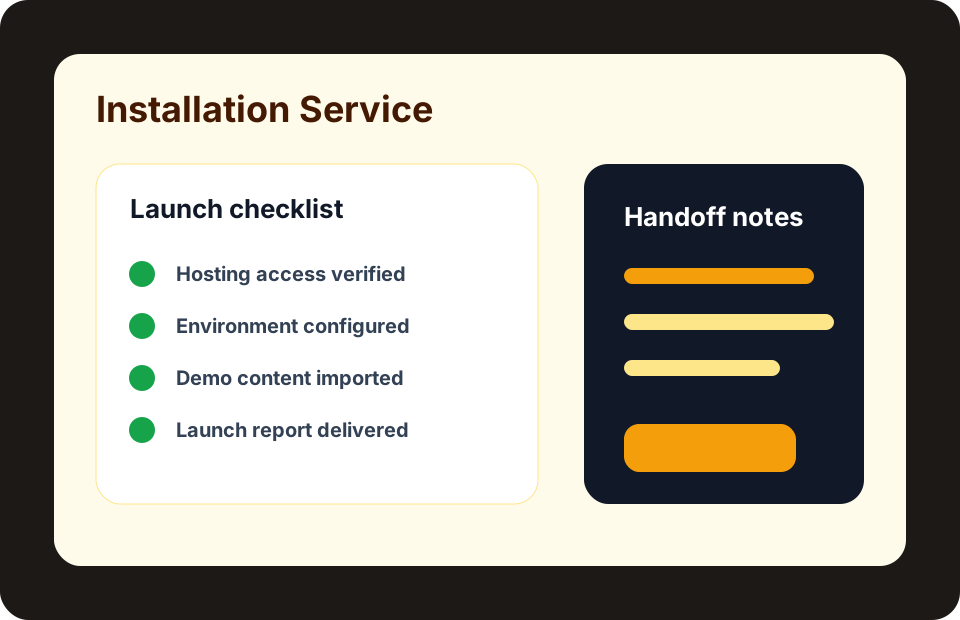
- You need done-for-you setup without a setup requestRequest installation help before checkout when your team cannot handle hosting, environment, import, or handoff work.
Turn this guide into a buyer proof run
Choose BookFlow, inspect one product screen, confirm before-buy checks, and save the result as a proof report.
- Confirm Laravel hosting
- Choose archive layout
- Review docs and screenshots
Keep a record of what you inspected
Generate a shareable evaluation report after opening roles, screenshots, docs, compatibility notes, and setup checks for BookFlow.
Open demo roomStart with the main user action. Ask who uses it, what they enter, what they expect to see next, and what confirmation they receive. Then test the quiet parts that usually create support pain: emails, permissions, payment states, mobile layout, failed attempts, and support notes.
Translate every technical item into a normal sentence before you move on. A webhook means "the payment company tells your store what happened." A license activation means "this domain is allowed to use the purchase." A visual builder revision means "you can restore the older page if the new edit is wrong."
Decision Flow
Use the flow as a short working map. Start with what happened, name the owner, inspect the screen, collect proof, and choose the next human action before the topic turns into an open-ended technical task.
Checks Worth Doing First
- Open the live booking domain and confirm the public scheduling path.
- Review tenant admin calendars, services, staff, bookings, payments, and reports.
- Test whether deposits, packages, and customer portal expectations match the real business model.
- Inspect the guided receptionist flow and confirm what it can draft, flag, or hand off.
- Check docs, demo roles, readiness notes, and setup boundaries before checkout.
These checks are intentionally small. They help you spot the difference between a nice demo and a product that is ready for your own store, service site, SaaS account, or team workspace.
Keep the booking page, service selection, calendar slot, deposit or payment state, tenant dashboard, receptionist note, customer record, report, and readiness check together as the launch proof pack.
How It Maps To Ovion Market
Ovion Market connects BookFlow with the product page, live booking demo, documentation, role-safe demo room, screenshot proof, before-buy checks, and launch readiness. The guide keeps the buying path honest about hosting, configuration, payments, AI boundaries, and support.
The related Ovion Market context is BookFlow. That does not make this a sales page. It means the note is tied to real marketplace behavior: products need requirements, demos, downloads, licenses, checkout states, support paths, and clear public pages.
Mistakes I Would Watch For
- Judging BookFlow from a calendar screenshot without testing public booking and tenant admin together.
- Skipping deposit, payment, package, and cancellation expectations before launch.
- Treating AI receptionist suggestions as automatic operations without human review rules.
- Publishing the booking link before queue, mail, storage, and support paths are checked.
Most launch problems come from skipped basics, not from advanced code. Confirm the product fit, test the everyday path, write down support expectations, and avoid sending paid traffic to a page or checkout that has not been checked.
Final Note For The Handoff
Before you move from planning to launch, write down the owner, the expected result, the test account used, and the page or screen where the result was checked. That small record helps buyers, developers, support staff, and marketers stay aligned. It also makes future updates easier because the team can compare the new behavior against a clear baseline instead of relying on memory.
Helpful Internal Links
- BookFlow product page
- BookFlow live demo room
- BookFlow documentation
- BookFlow launch readiness
- Booking SaaS products
Source Notes
- Laravel documentation: https://laravel.com/docs
- OWASP web security guidance: https://owasp.org/www-project-top-ten/
- BookFlow product page: /products/bookflow-booking-saas
- BookFlow documentation: /docs/products/bookflow-booking-saas